
The New ProGroupEMR is Shipping Now!
(if you're looking for Version E, click here)
|
Following are screen captures of the actual program. Soon we will post a demo copy to the website so you can start to play with it and test it. Initial progress has been faster than expected because we used an existing (already approved and certified) EMR framework. To this framework we are adding the famous ProGroup Pegboard, statistical bins, reports, and ease of use. Also, there has been much work to do in making everything more chiropractic friendly. We still have to add patient billing (not part of most EMR programs), the reports you have grown accustomed to, and practice management stuff. The screen shots below were taken with Firefox driving the program, but most internet browsers should work, including Microsoft's Internet Explorer, Google's Chrome, Opera, Safari, etc. on any machine (PC, Mac, Linux, smart phones, Ipads, etc. |
After we get the
program doing
most of what Active Partner and ProManager already do plus the EMR, we
will
see if there is sufficient demand to develop other input methods and
programs, such as touch, voice, scanners, etc to input travel card
information, examination information, store x-rays
and anything else we
can do to help.
|
 Here is the pegboard. It isn't finished yet, and the data is only for visual effects. This is why all the dates and procedures are the same. BUT, the account card color and data IS working now, along with different colors for different types of coverage, and it is correctly pulling in the patient information and treating doctor. The menu is along the left hand side. It slides open for the clicked menu item to reveal other options. Notice in this screen the menu item "Posting" is open and active. |
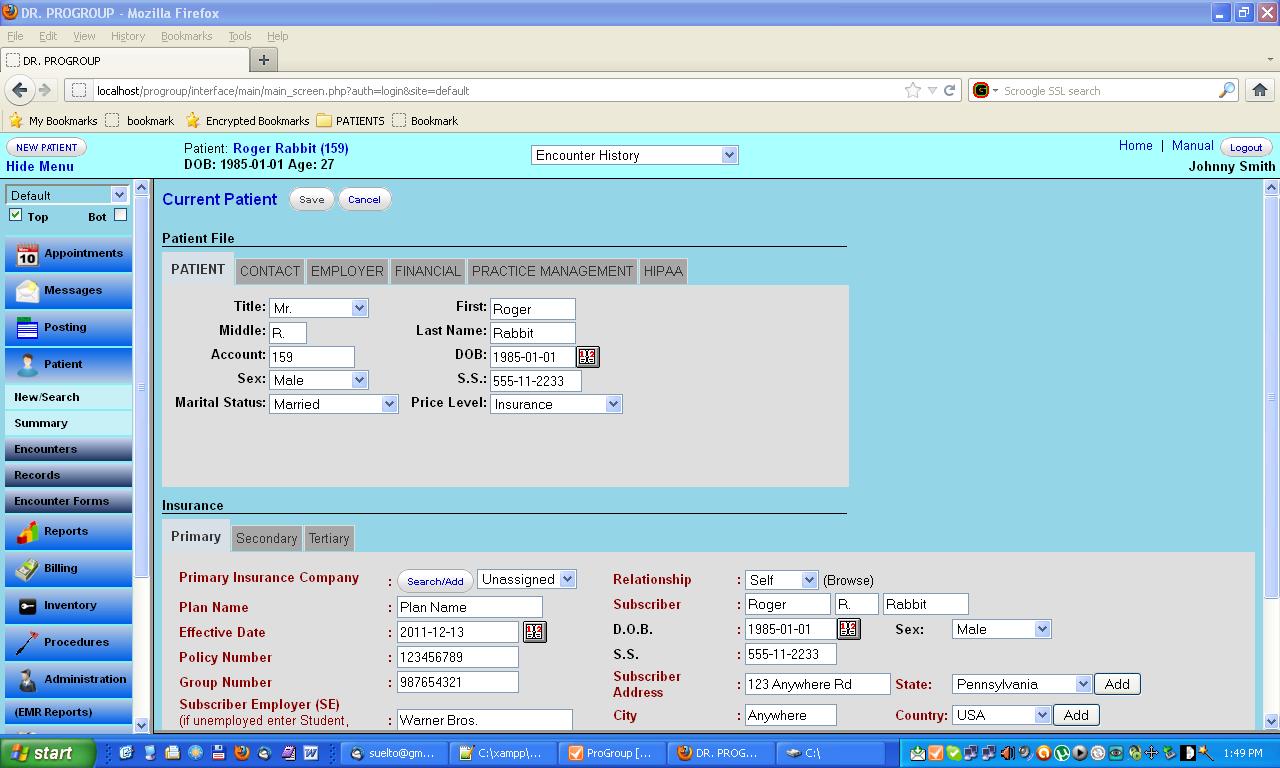 This
is the patient screen. Notice the tabs for "Patient", "Contact",
"Employer", "Financial", "Practice Management" and "HIPAA"
information/data. All this is working correctly, now!
In the lower portion of the screen, you see the insurance information with a tab each for primary, secondary, and tertiary coverage. In this screen, the menu item "Patient" is open and active. |
 |
|
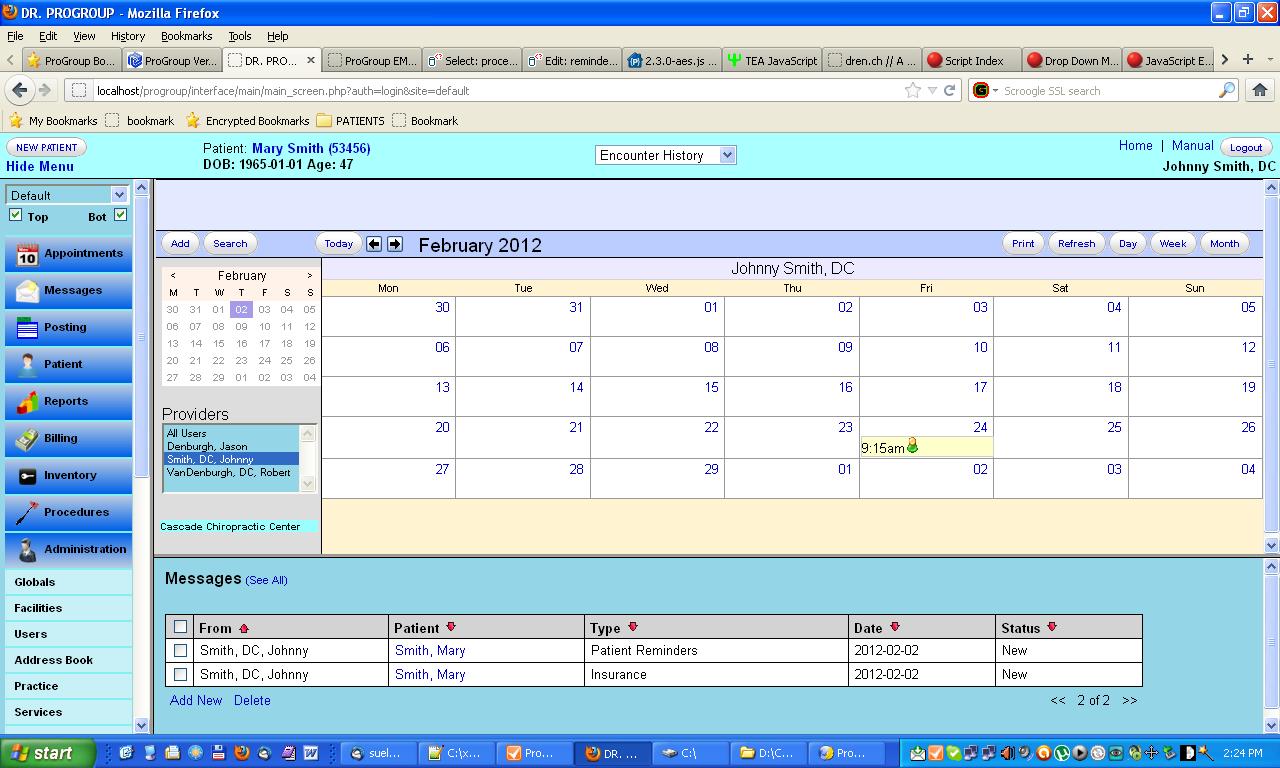
This
screen is divided into two, the appointment book on top and messages on
the bottom. Either screen can be enlarged or diminished, or completely
minimized, making the opposite screen accordingly increase or decrease
in size. Also, either screen can be replaced with any other screen,
giving almost unlimited variation and customization for your
work.
In these screens, the menu item "Administration" is open and active. This is the default screen, but the default can be changed to anything you want. |
|
This
is the "current problem" screen above and "past encounters"
screen below.
Either screen can be diminished or minimized, and either screen could
be replaced by any other screen. "Encounter" may be a new buzzword for
you. It is at the heart of EMR (Electronic Medical Records), and simply
means "visit". The "current problem", once populated (with more or less
infinite number and variety of codes) then drives the encounter
diagnoses, and will also populate the pegboard diagnoses as defaults,
or could be over-ridden with some other diagnoses.
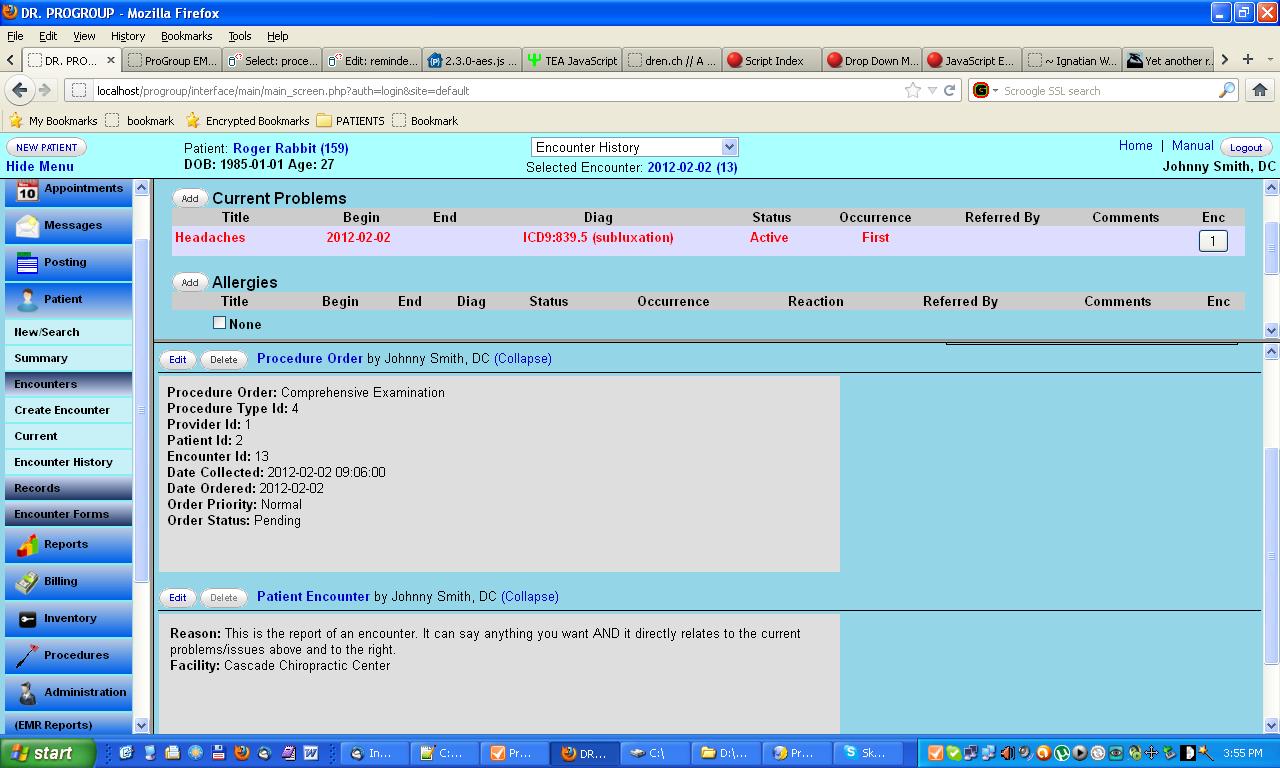 These two screens show the current problem(s) at the top, where they can be changed, marked resolved, or new issues added. Those same issues are then reflected in the lower screen at the right, where they can be used to populate encounters. This lower screen also shows a procedure that has been ordered and a current encounter. |

|
For
those who have already ordered, we thank you and ask for you input,
questions and suggestions. For those who haven't ...?
|
We know that we've given you a lot of choices. If this all becomes too confusing, just call and we'll help sort it out.
425-967-8585 - leave a message and we'll call you back. OR send a message here


Recognizing Bright Ideas!